

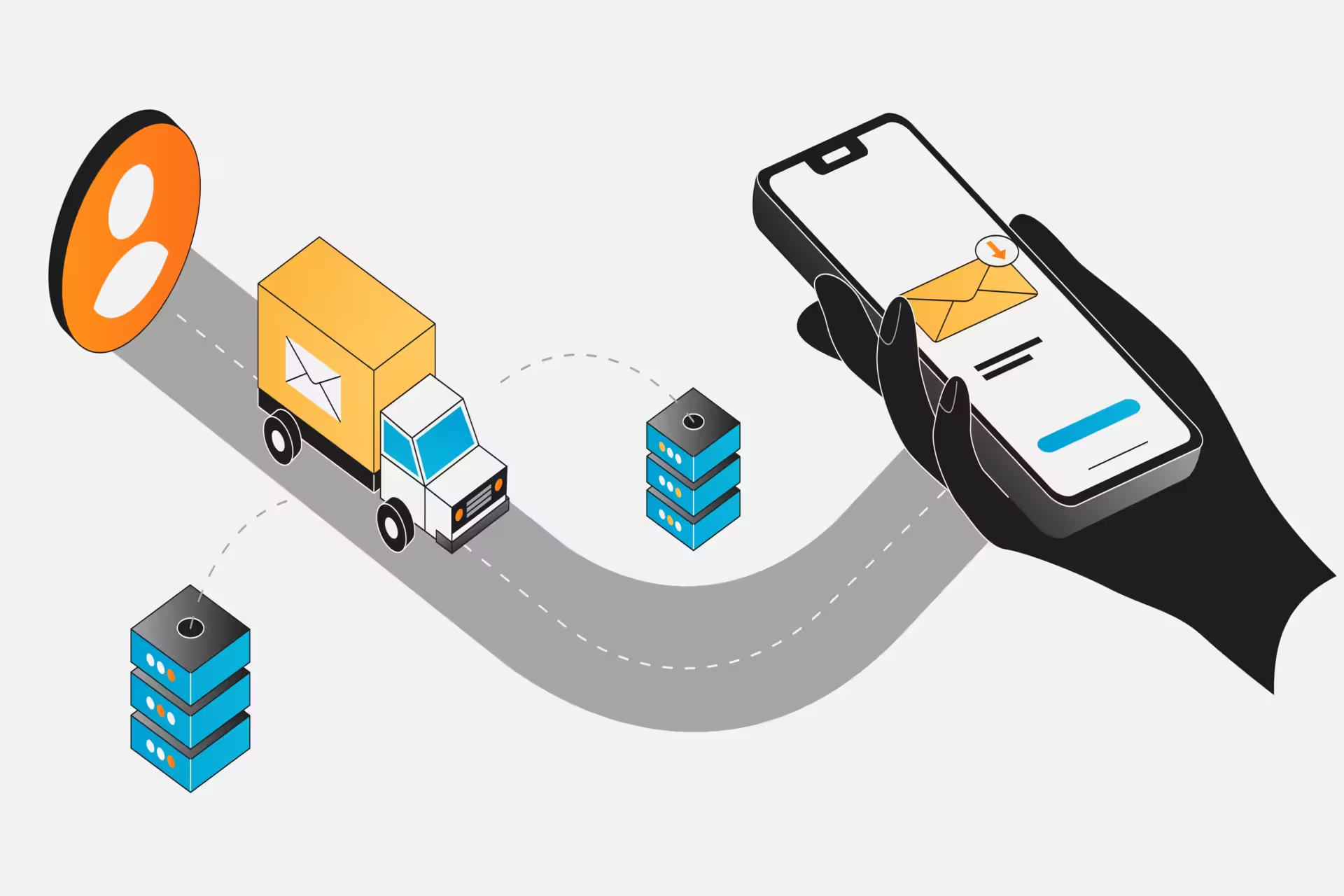
SMTP Explained: What it is and how email delivery really works
TL;DR: SMTP explained (and why it determines whether your emails land)
- SMTP (Simple Mail Transfer Protocol) is the engine behind every outgoing email. It pushes messages from your server to the recipient’s server using standardized commands defined in RFC 5321.
- SMTP only sends email, it doesn’t retrieve it. 📤 IMAP and POP3 handle inbox access; SMTP handles delivery.
- Every email follows a strict handshake process: TCP connection → HELO/EHLO → MAIL FROM → RCPT TO → DATA → QUIT. 🤝
- SMTP works through servers and MTAs. Mail Transfer Agents use DNS and MX records to route messages across the internet.
- Ports matter. 25 = server-to-server relay. 587 = modern authenticated submission (recommended). 465 = legacy SSL 📊
- Authentication is non-negotiable in 2026. SPF, DKIM, and DMARC determine whether your emails land in inboxes or spam. 🔐
- 4xx vs 5xx response codes decide retries or permanent failure.
- ESMTP and MIME extend SMTP’s capabilities, enabling encryption, authentication, attachments, and HTML emails.
- Cold email success depends on infrastructure, not copy alone. Domain strategy, authentication setup, and warm-up directly impact deliverability.
376.4 billion emails travel across the internet every day. Yes, 376.4 billion. We find that number staggering, and it's all thanks to something called SMTP protocols.
SMTP is the engine that drives your emails from the "Send" button to your recipient's inbox. It doesn't matter if you're sending a quick note to a colleague or launching a large cold email campaign; SMTP is what makes it all work. 📧
No SMTP, no email delivery. Period.
So, for those of us running cold email campaigns, understanding how SMTP works is absolutely essential. If you want your emails to land in the primary inbox instead of the spam folder (and we all want that), you need to know what's happening behind the scenes.
So let's break down exactly what SMTP is and how we can make it work for our campaigns. 👇
What is SMTP protocol?
SMTP stands for Simple Mail Transfer Protocol, and it's the standard that makes email delivery possible across the internet.
Created back in 1982 (defined by RFC 821 and later updated to RFC 5321), it set the ground rules for how email-sending programs and servers talk to each other.
SMTP uses text-based commands and responses to transfer information between mail servers.
When we hit "send" on an email, SMTP takes charge, ensuring the message travels from our mail server to the recipient’s. It’s a highly standardized process that keeps emails flowing globally.

SMTP is all about delivery, not retrieval. Its sole purpose is to send outgoing messages from the sender’s server to the recipient’s server. Once an email lands there, other protocols (like IMAP or POP3) step in so the recipient can actually access and read it.
SMTP operates over TCP (Transmission Control Protocol) and typically works using ports like 25, 587, or 465, but more on that later.
In its early days, SMTP was designed to be simple, handling plain text commands and basic exchanges. Over time, though, it’s grown to handle more modern needs like attachments, international characters, and encryption (thankfully, since no one wants their emails exposed).
The core components of SMTP infrastructure
Email delivery through SMTP relies on several key components working together. Once you understand these elements, you can see exactly how messages travel from sender to recipient.
It also helps you figure out where things can go wrong (or where we can make them better) in our cold email campaigns.
The primary elements are:
- SMTP servers
- SMTP clients
- Mail Transfer Agents (MTAs)
- SMTP relay systems
.webp)
Each component has a very specific job in the delivery chain.
Let's dive into each one in more detail:
What is an SMTP server?
An SMTP server is a mail server that handles sending or forwarding messages using the SMTP protocol. For example, when we send an email through Gmail, Gmail’s SMTP server takes over, delivering our message to the recipient’s server.
Behind the scenes, these servers run on specialized software. They include:
- A Mail Submission Agent (MSA), which accepts messages from email clients (like Gmail or Outlook).
- A Mail Transfer Agent (MTA), which processes and sends the emails to their next destination.
- A Mail delivery agent (MDA), which stores the email in the recipient’s inbox so they can read it. 📧
What is an SMTP client?
An SMTP client is the proactive part of your email setup that starts the conversation and moves the data. Whenever you use Outlook and hit the send button, the application acts as the client.
It opens a direct connection to your SMTP server and issues specific commands to hand over your message. (It’s the digital equivalent of handing a letter to a teller at the post office.)
The client follows a specific protocol by sending commands like HELO, MAIL FROM, RCPT TO, and DATA; it then waits for the server to reply.
Automated scripts or applications also behave as SMTP clients, using libraries to communicate with SMTP servers through this exact same command structure. 🛠️
What are MTAs in SMTP?
A Mail Transfer Agent, or MTA, is the component responsible for routing and transferring email messages from one server to another. When an SMTP client hands off a message, the MTA takes over.
When an MTA gets a message, it parses the recipient's email address. Specifically, it checks the domain after the "@" symbol. This tells the MTA whether the message is for a local user or needs to be sent to an external server.
For external addresses, the MTA uses the Domain Name System (DNS) to look up the Mail Exchange (MX) record for the recipient's domain. This record points to the exact hostname of the destination mail server.
MTAs also handle queuing and retrying messages that can’t be delivered right away.
If the destination server is busy or temporarily offline, the sending MTA places the email in a queue and attempts delivery again later. Most systems will retry for several days before sending a bounce-back message.
What is SMTP relay?
Simply put, an SMTP relay is the process of forwarding an email from one mail server to another along its route to the final recipient. Any time an SMTP server receives an email and passes it on to another SMTP server, that's an SMTP relay.
For example, let's say you send a message from alice@gmail.com to bob@yahoo.com.
Google's mail server performs an SMTP relay to hand the message over to Yahoo's mail server. This relay might even involve multiple hops through intermediate servers, with each hop bringing the message closer to its destination.


How does SMTP work?
SMTP delivers email through a straightforward request-response protocol where the client sends commands and the server responds with numeric codes.
We see this process as the digital equivalent of a secret handshake.
%20(10).webp)
Here is the exact step-by-step process that occurs every time you hit send.
- Connection and handshake 🤝
The SMTP session begins when an SMTP client opens a TCP connection to an SMTP server (usually on port 25, 587, or 465). The server sends a greeting with a 220 status code like "220 mail.server.com ESMTP Service Ready."
The client responds with a HELO or EHLO command to introduce itself, and the server replies with 250 OK to acknowledge the greeting.
- Envelope addressing ✉️
Next, the client provides the envelope information. The MAIL FROM command specifies the return-path for bounce messages. If accepted, the server responds with 250 OK. The client then issues RCPT TO commands for each recipient.
The server responds with 250 OK for valid recipients or error codes like 550 for invalid addresses. (This is why verifying your list is so important).
- Data transmission 📤
Once sender and recipients are established, the client sends the DATA command. The server responds with 354, essentially saying "send the message content now."The client transmits the email headers (Subject, From, To, Date) followed by a blank line and the message body.
The end of the message data is indicated by a line containing only a single period on a line by itself. The server then responds with 250 OK if the message is accepted. 📧
- Closing the connection 👋
Finally, the client sends the QUIT command. The server responds with 221 and terminates the connection. If issues arise, SMTP uses specific response codes to handle them: 4xx codes indicate temporary failures (retry later), while 5xx codes indicate permanent failures (stop trying).
SMTP commands and response codes
SMTP communication runs on textual commands sent from client to server and numeric response codes returned by the server.
Each command tells the server what to do next or provides necessary information. The server responds with three-digit codes indicating success, continuation, or errors.
These codes are what determine if your email gets delivered, queued for a retry, or bounces back for good. (Super important, right?)\Commands
Commands
The core SMTP commands include:
HELO/EHLO: The greeting command that initiates an SMTP session. HELO is the original form, while EHLO (Extended HELO) signals that the client supports ESMTP extensions. The server responds with available features.
MAIL FROM: Specifies the envelope sender (return-path). Syntax: "MAIL FROM:sender@example.com".
RCPT TO: Designates each recipient. Syntax: "RCPT TO:recipient@example.net". You send one RCPT command per recipient.
DATA: Tells the server you're about to send the message content. After the server responds with 354, you transmit headers, body, and end with a period on its own line.
QUIT: Terminates the session. Server responds with 221 and closes the connection.
AUTH: Used for SMTP authentication, requiring username and password before the server allows sending.
STARTTLS: Initiates TLS encryption over the connection for security.
Responses
Every SMTP command gets a three-digit response code. The first digit matters most: 2 means success, 3 means intermediate/continue, 4 means temporary failure, 5 means permanent failure.
250 OK: The most common success code, meaning the server accepted and processed your command.
354 Start mail input: Response to DATA command, inviting you to send the message content.
221 Service closing: Normal closure response to QUIT.
550 Mailbox unavailable: Permanent failure, usually meaning the email address doesn't exist or access is denied. No point retrying.
450 Mailbox unavailable: Temporary failure (mailbox full, server busy). The sending server will retry later.
535 Authentication failure: Your login credentials were rejected.
SMTP ports: Which SMTP protocol port should you use?
As we’ve mentioned, SMTP uses specific port numbers, and choosing the wrong one can block your emails entirely.
The three main ports are 25, 587, and 465; however, each serves a specific role in email security.
- Port 25 the original SMTP port for server-to-server email transmission. When mail servers exchange messages with each other, they connect over port 25.
Most ISPs block this port on consumer networks to stop spam. Port 25 doesn’t require encryption or authentication by default, which makes it a common spam vector. Use port 25 only for server-to-server relay, not for client submission. If you run your own mail server, it must listen on port 25 to receive mail from other servers.
- Port 587 is the modern standard for mail submission by clients. RFC 6409 designates 587 for authenticated mail submission with TLS encryption via STARTTLS. When configuring a cold email tool, port 587 is the default choice. It requires authentication (SMTP AUTH) and supports secure connections, making it reliable and widely accepted. Almost all email service providers support port 587, and ISPs rarely block it.
- Port 465 was originally designated for SMTP over SSL (implicit TLS). The assignment was withdrawn in 1998 in favor of STARTTLS, but many providers continued supporting it. Port 465 requires SSL/TLS immediately upon connection, before any SMTP commands. It's secure but considered legacy. Some networks that block 587 might allow 465, making it a useful backup.
- Port 2525 isn't official but many cloud email services offer it as an alternative when other ports are blocked. It behaves like 587 with auth and TLS support, just on a different port number that firewalls typically ignore.
SMTP vs IMAP vs POP3: What's the difference?
SMTP handles a completely different job than IMAP or POP3. While SMTP is for sending mail, IMAP and POP3 are used for retrieving it.
We see them as complementary tools rather than competitors.
SMTP (Simple Mail Transfer Protocol) pushes outgoing email from the sender to the recipient's mail server. When you hit send, SMTP moves your message through various servers until it reaches the destination. SMTP does not provide any way to fetch messages from your mailbox.
IMAP (Internet Message Access Protocol) is a retrieval protocol that allows online, synchronized access to email.
- Messages stay on the server.
- Your email client fetches copies.
- It supports multiple folders
- It syncs status across devices.
- It treats the server as primary storage.
So if you read an email on your phone, it shows as read on your laptop too. 📬
POP3 (Post Office Protocol version 3) is an older retrieval protocol. POP3 typically downloads messages from the server to your device and deletes them from the server (though you can configure it to leave copies). It's device-centric and doesn't sync state across multiple devices well.
When configuring email, you need both SMTP settings for outgoing mail and IMAP or POP3 settings for incoming mail.
If you want to understand how sending and receiving protocols work together, we recommend checking our more detailed breakdown of IMAP and SMTP.
What is ESMTP and MIME
As we said, SMTP stands for Simple Mail Transfer Protocol. The "Simple" reflects its original design as a straightforward, text-based protocol from the early 1980s. However, modern email needs have grown far more complex, requiring robust extensions for security and media.
ESMTP (Extended SMTP) is the modern standard we use today. Introduced in 1995, it provides a framework for advanced capabilities via the EHLO greeting, which returns a list of supported extensions. We rely on ESMTP for essential features like:
- SIZE for message negotiation.
- AUTH for necessary authentication.
- STARTTLS for vital encryption.
Virtually all mail servers now operate in ESMTP mode to overcome overcome original SMTP limitations like the 512-byte command line limit and lack of authentication mechanisms.
MIME (Multipurpose Internet Mail Extensions) is a content format extension, not a transport protocol. Since original SMTP only handled plain ASCII text, MIME defines how we encode different content types (text in various character sets, images, audio, documents) into text-friendly formats that SMTP can carry.
MIME uses headers like Content-Type and Content-Transfer-Encoding, plus Base64 encoding for binary attachments.
Without MIME, we could not send attachments or HTML emails. Together, SMTP transports the message while MIME formats the content for rich media.
How to set up SMTP for cold email
Setting up SMTP for cold outreach goes beyond plugging in server credentials. From our experience across hundreds of accounts we can say, that the choices you make here are crucial for deliverability.
They often decide if your emails land in the inbox or spam folder (a place no one wants to be).
Let's dive into what you need to focus on. 👇
Choose your domain strategy
Your first big decision, and it's a critical one, is choosing where to send your cold emails from. Do you use your main domain, a subdomain, or a completely separate domain?
Subdomains like mail.yourdomain.com or outreach.yourdomain.com offer the sweet spot for most companies. Here's why:
- You keep your brand identity.
- You isolate your sender reputation. This is a huge deal. If your cold emails get marked as spam, the negative impact is confined to that subdomain. It won’t harm your main domain’s reputation for sending important transactional emails.
Using a completely separate domain can create maximum isolation, but it often causes brand confusion. If you're getting an email from a random domain, you'd probably be skeptical too. Reserve this approach for exceptionally high-risk scenarios.
Domain strategy matters, but honestly? There are 11 other things that matter just as much. We broke down all the essential deliverability practices that high-performing campaigns actually use. It’s worth checking out!
Configure your email authentication records
Email authentication through SPF, DKIM, and DMARC is the technical foundation providers use to verify your legitimacy. Without proper authentication, even perfectly written emails get filtered to spam.
For a more in-depth look, this step-by-step breakdown explains how SPF, DKIM, and DMARC work together and how to properly configure them. This guide from BuzzLead walks through the full setup process.
- SPF authorizes specific servers to send for your domain via DNS records.
- DKIM uses cryptographic signatures to prove emails haven't been altered.
- DMARC ties it all together by ensuring your "From" address aligns with SPF and DKIM. 🔐
But still, even if you do everything right, there is a big chance you might still land in spam. We broke down the most common email deliverability issues and more importantly, how to solve them.

Gmail and other major providers increasingly require DMARC compliance. So emails lacking this setup get flagged immediately. 🚩
Select and configure your SMTP provider
Talking about SMTP, picking the right SMTP provider depends on your email needs: volume, technical setup, and budget all play a role.
Here’s a breakdown of the most popular options:
- Google Workspace is great for small-scale testing (proof-of-concept, anyone?). Use smtp.gmail.com on port 587. Keep in mind, Gmail caps emails at 500/day for standard accounts and 2,000/day for Workspace accounts. A handy option for testing but not ideal for major email campaigns.
- Microsoft 365 offers smtp.office365.com on port 587 with TLS encryption. Heads-up: SMTP authentication is off by default at the mailbox level, so you’ll need to enable it in the Microsoft 365 admin center.
- Amazon SES is a powerhouse for enterprise needs, with regional SMTP endpoints on port 587. You’ll start with a 200/day limit, but this grows as your sending reputation improves.
- Specialized services like Mailgun, SMTP2GO, and Postmark bring advanced features like per-domain queue isolation, inbox placement monitoring, and flexible ports.
Warm-up your email!
Email domain warm-up is all about building trust with mailbox providers. Before launching a full cold email campaign, you need to gradually increase your sending volume to create a positive sender reputation.
If you’re new to sending emails and immediately go big, spam filters will likely flag you. But when you ease in with steady, high-quality engagement, your legitimacy shines through.
Here’s how to approach it:
- Start with highly engaged, opt-in contacts (people who already interact with your emails).
- Send around 5–10 emails on day one, then increase the volume daily over 2–4 weeks.
- Stay consistent, this gradual growth is key!
If you're thinking "there has to be a better way", well, there is. Tools like PlusVibe, TrulyInbox, Lemwarm, Folderly, and InboxAlly can automate warm-ups by simulating engagement (like opens and clicks) with real email networks. You can check out our best email warm-up tools, so you can pick the one that fits your needs!
Final words
We've covered a lot about SMTP, and by now you can clearly see what makes email delivery work behind the scenes.
SMTP is the protocol that's been quietly moving every email you send since the 1980s. From commands and ports to authentication records, these elements work together to get your emails from point A to point B.
But understanding SMTP and setting it up properly are two very different skills.
Authentication setup, port selection, proper DNS configuration, and ongoing monitoring make the real difference between emails that land and emails that bounce.
This stuff can get tricky, but we’re here to take it off your plate.
So if you're running cold email campaigns and need cold email infrastructure that consistently delivers, we handle the entire technical setup so your messages gets opened, read, and replied to by the people who matter most to your pipeline. 📩
Frequently asked questions
SMTP (Simple Mail Transfer Protocol) is the standard protocol that moves emails from sender to recipient's mail server. It uses commands like HELO, MAIL FROM, RCPT TO, and DATA in a request-response conversation between mail servers, with numeric codes indicating success or failure at each step.
SMTP pushes outgoing email from your server to recipient servers. IMAP and POP3 pull incoming email from servers to your device. IMAP syncs messages across devices and keeps them on the server, while POP3 downloads messages locally and typically deletes them from the server.
Port 25 is for server-to-server relay and often blocked for consumers. Port 587 is the modern standard for authenticated client submission with STARTTLS encryption. Port 465 uses implicit SSL/TLS from connection start. Use 587 for sending email through SMTP services.
SMTP authentication (SMTP AUTH) requires username and password login before the server allows sending. It prevents unauthorized relay abuse and spam, ties outgoing emails to specific accounts for tracking, and ensures only authorized users can send mail through the server.
SPF verifies the sending server's IP is authorized via DNS records. DKIM adds a cryptographic signature using a private key that receivers verify with your DNS public key. DMARC enforces that your visible From domain aligns with SPF or DKIM results and defines policies for handling failures.
Don’t miss these


Get your first lead this month
14 days to get started. 7 days to get your first lead on average.


